Chrome extension ยท Vocabulary

WordBridge

Save the word and the sentence you found it in.

Highlight a word you don't know, right-click, and WordBridge shows the definition, pronunciation and a translation in your language. The word saves itself along with the sentence around it, so when you review it later you remember where it came from and what it meant there.

Define in place Meaning, part of speech and pronunciation, without leaving the page.
Keep the context Every saved word carries the sentence it came from.
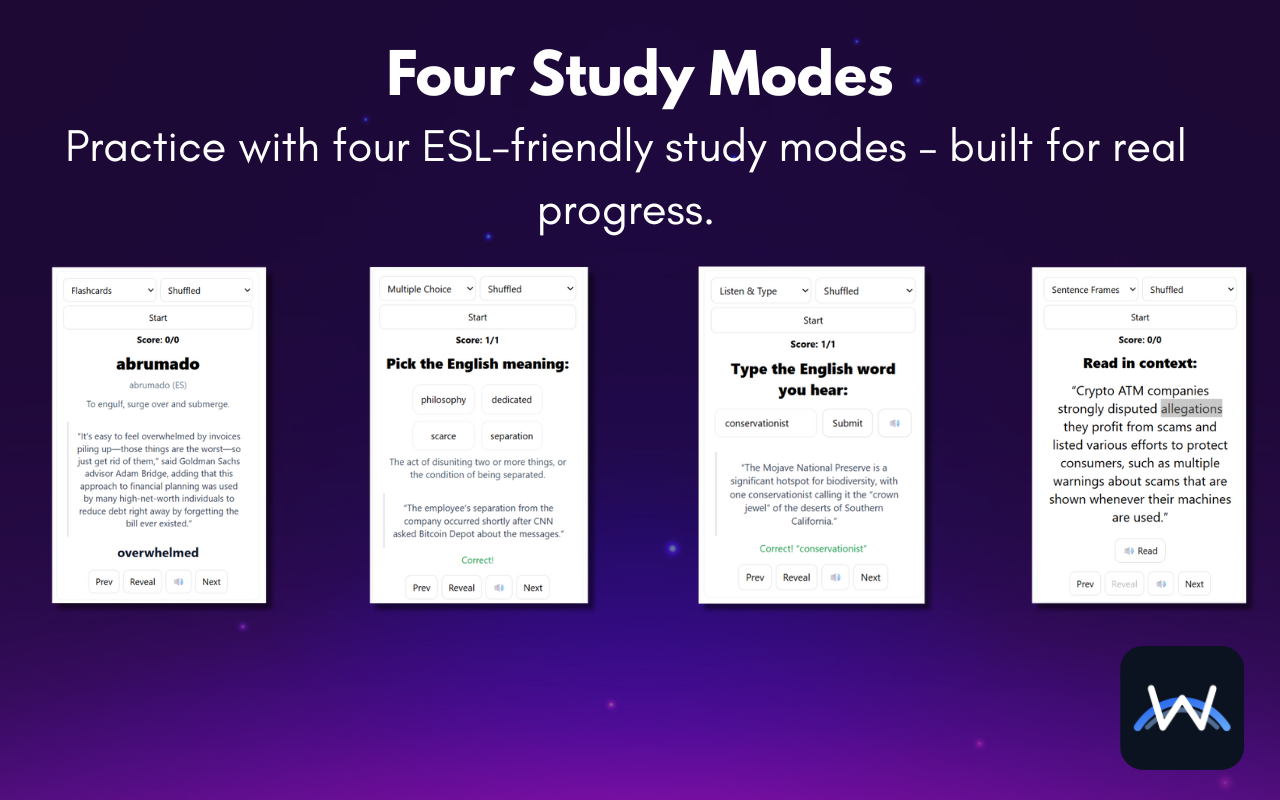
Review four ways Flashcards, multiple choice, listening and sentence practice.

WordBridge icon

"Rain in the desert is seasonal and scarce."
A word on its own is easy to forget.

Most vocabulary tools save the word and the definition. The part that helps you remember it, the sentence where you actually met it, gets thrown away. WordBridge keeps it.

You looked it up last week

And the week before. Saving it the moment you look it up means the third lookup is a review instead of a surprise.

Definitions don't show usage

A dictionary tells you what "scarce" means. Your sentence shows how a real writer used it.

Word lists are someone else's words

Your deck comes from what you already read, so every word is one you've run into.

Highlight, define, done.

Saving takes no extra step. Looking a word up is enough.

  1. Highlight a wordSelect any word on any page while you read.
  2. Right-click to defineChoose Define with WordBridge. The definition, pronunciation and translation appear on the page.
  3. It saves itselfThe word, its sentence and the page it came from go into your deck automatically.
  4. Review when you're readyOpen WordBridge from the toolbar and pick a study mode.

Four ways to review your deck.

Each mode uses your own sentences, so you practice the word the way you first saw it. Shuffle the deck or go in order.

The four WordBridge study modes: flashcards, multiple choice, listen and type, and sentence frames

Flashcards

See the translation, definition and sentence, then reveal the word.

Multiple choice

Pick the right word for the meaning from four options.

Listen & type

Hear the word read aloud and type what you heard.

Sentence frames

Read the word back inside its original sentence.

Free, with no account.

Your deck stays in your browser

Saved words, sentences and settings are stored locally in Chrome. There's no sign-up and no WordBridge server. Export your deck as a file whenever you want a backup.

Only the word leaves

To look a word up, WordBridge sends just that word to public dictionary services and to MyMemory for the translation. Your sentences and the pages you read aren't sent anywhere. Read the privacy policy.

A few quick answers.

Is it free?

Yes, every feature. If it helps you, there's an optional Buy Me a Coffee link.

Which languages does it translate into?

Definitions are for English words. Pick one of 12 native languages in settings, including Spanish, Chinese, Korean, Japanese and Arabic, for a quick translation next to each definition.

Is there an iPhone version?

Not yet. If you'd use one, email hello@dahvio.com with the subject "WordBridge for iPhone". Those emails decide whether it gets built.

Questions or bugs?

Email hello@dahvio.com. The word you looked up and the page you were on is usually enough to go on.